

WhatsApp is the most critical customer communication channel for businesses, with over 2 billion active users worldwide. But manually replying to every message both wastes time and causes customer loss. WhatsApp auto-reply eliminates this problem entirely.
1. What Is WhatsApp Auto Reply?
WhatsApp auto-reply is a system that sends pre-defined or AI-powered responses to incoming WhatsApp messages without human intervention.
It works at three basic levels:
Greeting Message
When a customer first messages, an automatic "hello" goes out. Simple, one-way. Available for free in WhatsApp Business App.
Away Message
Sends automatic information for messages outside business hours. Limited but provides basic customer experience.
AI-Based Full Automation
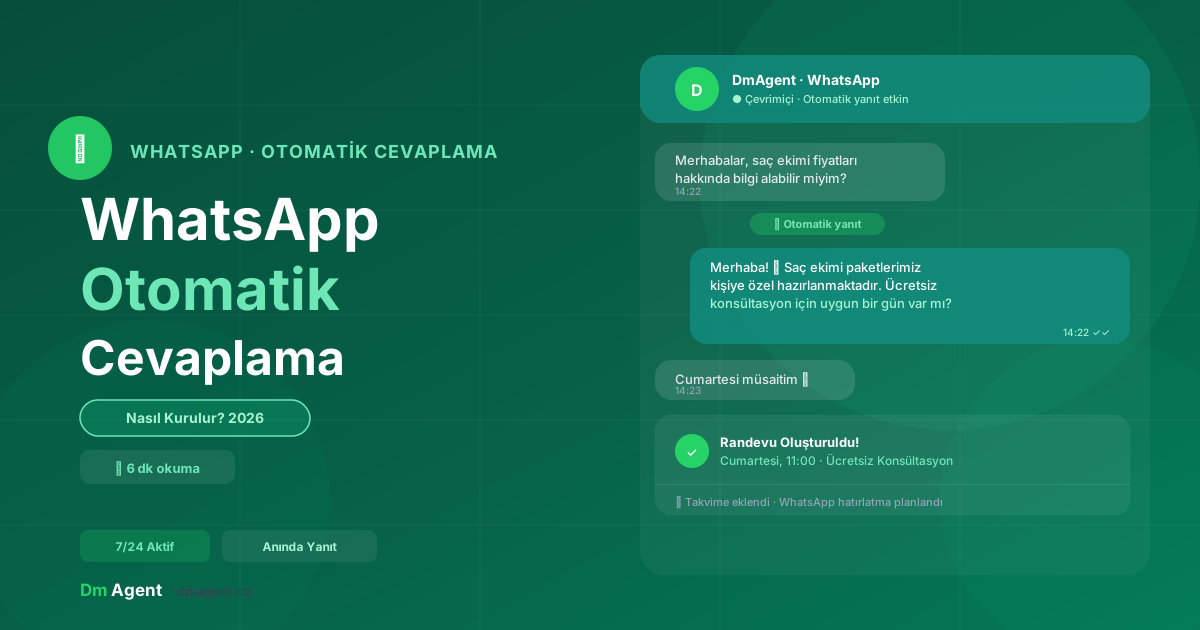
Actually communicates with the customer, answers questions, creates appointments and completes the process. The most effective solution.
2. Why Use It? Benefits by the Numbers
Response Speed = Sales
Businesses that reply within the first minute have a customer conversion rate 391% higher than those that reply 5 minutes later. WhatsApp users expect a reply within an average of 90 seconds.
3. WhatsApp Business App vs WhatsApp Business API
| Feature | Business App | Business API |
|---|---|---|
| Target audience | Small businesses | Medium-large businesses |
| Auto messages | Greeting + Away | Full automation |
| Multi-user | ❌ | ✅ |
| AI integration | ❌ | ✅ |
| Appointment creation | ❌ | ✅ |
| Cost | Free | Platform-dependent |
| Setup ease | Very easy | Easy with platform |
Key decision: If you receive fewer than 30 messages a day, Business App is a good starting point. For more messages, appointment tracking or real automation, move to an API-based solution.
4. Setup Steps — Step by Step
Create a WhatsApp Business Account
Download WhatsApp Business App (iOS or Android). During setup, add business name, category, description and working hours. You can use your personal number or a separate business number.
Activate Auto-Message Settings
Settings → Business Tools → activate Greeting Message and Away Message. Define your business hours for the away message.
Create a Greeting Message
Write a short, warm, action-oriented text. Tell the customer how to proceed.
Ready-to-Use Message Templates
Greeting message:
"Hi there! 👋 Welcome. How can we help you? Please let us know if you'd like information about bookings, prices or our services."
Away message:
"We're currently offline. Our business hours are 9 AM–7 PM (Mon–Fri). We'll get back to you as soon as possible. For urgent matters: +1 234 567 8900"
5. Advanced Solution: Full Automation with AI
WhatsApp Business App's built-in features are fine for getting started. But for real growth, AI-powered systems are necessary.
Actually Talks to Customers
- Customer: "I want to get botox"
- AI: "Which area are you considering? Have you had it done before?"
- Customer: "First time, for lips"
- AI: "Great! Let me check Sunday or Tuesday availability. Which day works for you?"
Can Make Sales
The system trained on your product/service catalog makes recommendations based on customer preferences, explains packages and compares prices. Works like a human sales rep — 7 days a week, 24 hours a day.
Can Book Appointments
Sees available slots in your calendar, creates appointments without conflicts and adds to Google Calendar. Automatic reminder messages prevent no-shows.
6. Examples by Industry
💆 Beauty & Aesthetic Clinics
Typical flow: Price question → Area question → Appointment offer → Add to calendar → WhatsApp reminder. Result: 15–30 appointments per day without staff.
🏋️ Fitness & Gyms
Automatically answers membership queries, takes trial class reservations, sends membership renewal reminders. Handles busy demand surges at season opening without extra staff.
🏡 Real Estate
Sends photos and details for listing inquiries, identifies qualified buyers, creates viewing appointments. Doesn't miss evening and weekend inquiries.
7. Things to Watch Out For
Follow WhatsApp Policies
WhatsApp can suspend accounts for spam or bulk marketing messages. The system should only reply to incoming messages; avoid unwanted outbound messages.
Don't Lose Personalization
Overly robotic messages drive customers away. AI systems should use a natural, warm tone — details like using the customer's name and adding warmth with emojis matter.
8. WhatsApp Automation with DmAgent
DmAgent is a platform that manages WhatsApp and Instagram messages with a single AI.
| DmAgent Feature | Benefit |
|---|---|
| Natural Language Processing | Understands everyday language including slang |
| Google Calendar integration | Conflict-free, real-time booking |
| WhatsApp + Instagram | Dual channel from one dashboard, synchronized |
| Automatic CRM entry | Every customer automatically added to system |
| Reminder system | Reduces no-show rate by 68% |
| 30-min setup | No technical knowledge needed |
Conclusion
WhatsApp auto-reply is now accessible for businesses of every size. Built-in Business App features are sufficient for getting started; an AI-powered platform is indispensable for those targeting growth.
First response speed sets you apart from competitors. Setting up a 24/7 auto-reply system makes this advantage permanent.
For more: How to Set Up Instagram Auto Reply and How to Set Up an Instagram Chatbot.